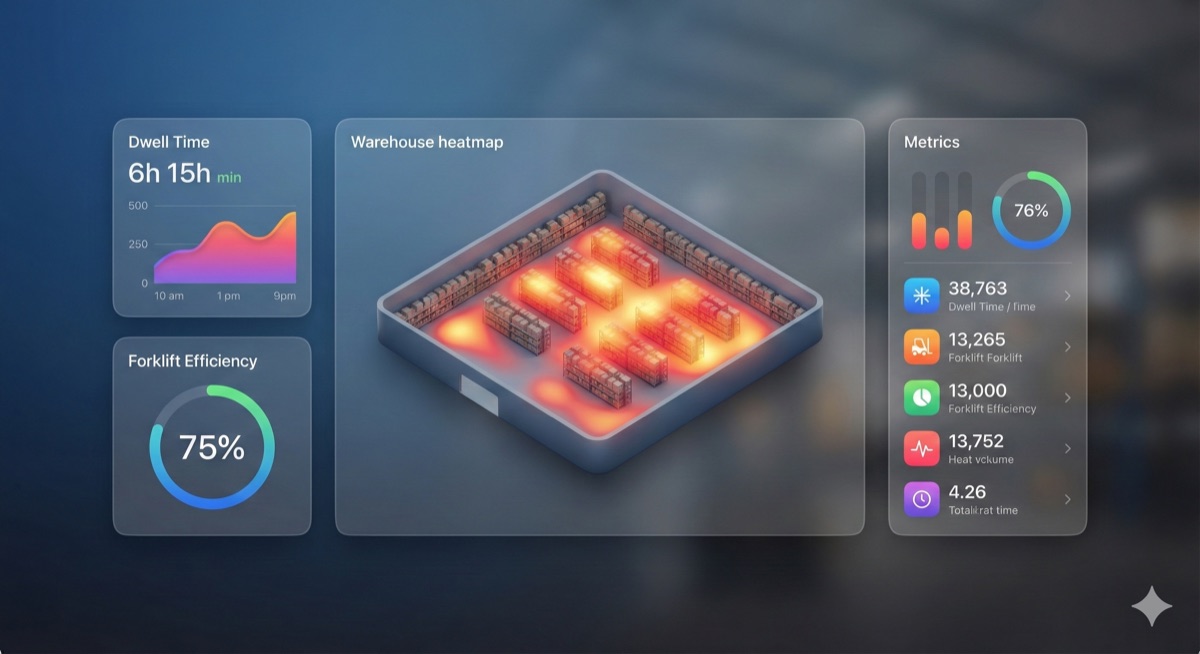
Turn Data Into Decisions
Oryn's analytics suite transforms your raw inventory data into actionable insights. From real-time dashboards to scheduled reports, you'll always know exactly what's happening across your entire operation.
Whether you need a quick overview of stock levels or deep analysis of seasonal trends, our flexible reporting tools adapt to your needs without requiring spreadsheet exports or manual calculations.
Key Capabilities
Real-Time Dashboards
See live inventory metrics, stock levels, and movement trends updated automatically as changes happen.
Custom Report Builder
Create personalized reports with drag-and-drop fields, filters, and grouping options.
Scheduled Reports
Automate report generation and delivery. Receive daily, weekly, or monthly reports via email.
Export Anywhere
Download reports as CSV, Excel, or PDF. Share with stakeholders or import into other systems.
Dashboard Views
Overview Dashboard
Get a bird's-eye view of your entire inventory—total items, value, low stock alerts, and recent activity at a glance.
Location Dashboard
Compare inventory across warehouses and zones. Identify which locations are over-stocked or running low.
Movement Dashboard
Track inbound, outbound, and internal transfers. Visualize flow patterns and identify bottlenecks.
Category Dashboard
Analyze performance by product category. See which categories move fastest and which need attention.
Creating Custom Reports
1. Start a New Report
Navigate to Analytics → Reports and click "Create Report." Choose from templates or start from scratch.
2. Select Data Fields
Choose which columns to include—item name, SKU, quantity, location, category, custom fields, and more.
3. Apply Filters
Narrow down results by date range, location, category, quantity thresholds, or any custom criteria.
4. Schedule Delivery
Set up automatic delivery to yourself and team members. Choose frequency and format for each recipient.
Built-In Report Templates
Low Stock Report
Items below their minimum threshold, sorted by urgency. Perfect for reorder planning.
Inventory Valuation
Calculate total inventory value by location, category, or time period for financial reporting.
Movement History
Complete audit trail of all inventory changes with user, timestamp, and reason for each.
Expiration Report
Track items approaching expiration. Filter by date range to plan markdowns or disposals.